
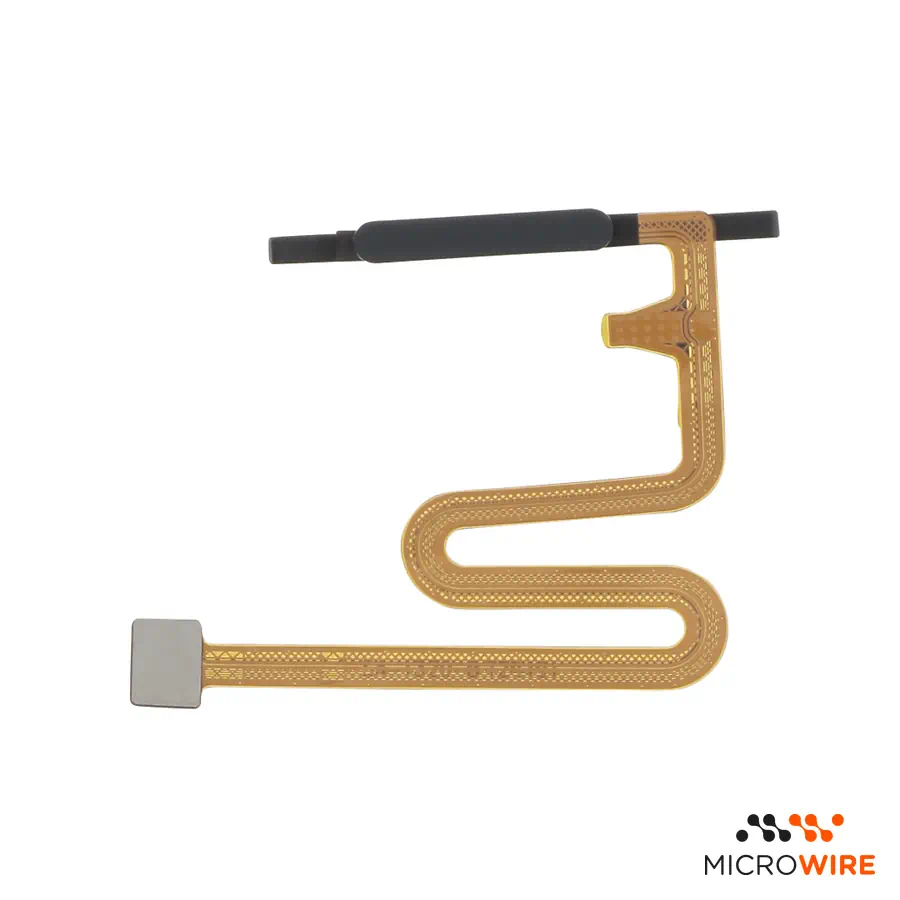
Samsung Galaxy A14 4G Fingerprint Print Black A145P
7.60€
In Stock Estimated Delivery: Friday, October 9th
Descontos por Quantidade
Why Choose Us?

Fingerprint Sensor for Samsung Galaxy A14 4G: Effective Biometric Reading
This replacement fingerprint sensor was designed for the Samsung Galaxy A14 4G, restoring the mobile phone's biometric unlock function. The integrated flex cable with biometric reader restores touch response and security to the damaged side button.
Technical Specifications
- Part type: Fingerprint sensor and power button
- Compatibility: Samsung Galaxy A14 4G (SM-A145F, SM-A145F/DSN, SM-A145M, SM-A145P)
- Colour: Black
- Quality: Compatible
When to Replace
- The biometric sensor does not recognise saved fingerprints
- The fingerprint unlock option has disappeared from settings — confirm diagnosis
- The reader gets excessively hot during use or while charging
- The side flex cable tore during a previous technical intervention
Notes for the Technician
- Test before applying: connect the part to the equipment and confirm its operation before permanently securing or gluing it. Thus, if there is any issue, the return or warranty is handled quickly and simply.
- Installation difficulty: Medium
- The intervention requires removing the back cover and the intermediate frame to access the connection on the motherboard
- Handle the flex cable with non-conductive tweezers to avoid creases or static damage (ESD)
- After assembly, go to system settings to recalibrate and register new fingerprints
What Distinguishes This Version
This is a high-end compatible part, designed specifically to ensure a rigorous fit in the smartphone structure. It is the suitable choice for technicians who want an economical and reliable repair without compromising the daily operation of the mobile phone.
Frequently Asked Questions
Is this biometric reader compatible with the Galaxy A14 5G variant?
No, this component is intended exclusively for the Samsung Galaxy A14 4G variant (A145P), featuring dimensions and flex specific to this version.
Is it necessary to reprogram the equipment after installing the new part?
Software reprogramming is not necessary, simply delete the old records and configure the fingers again in the mobile phone settings.