
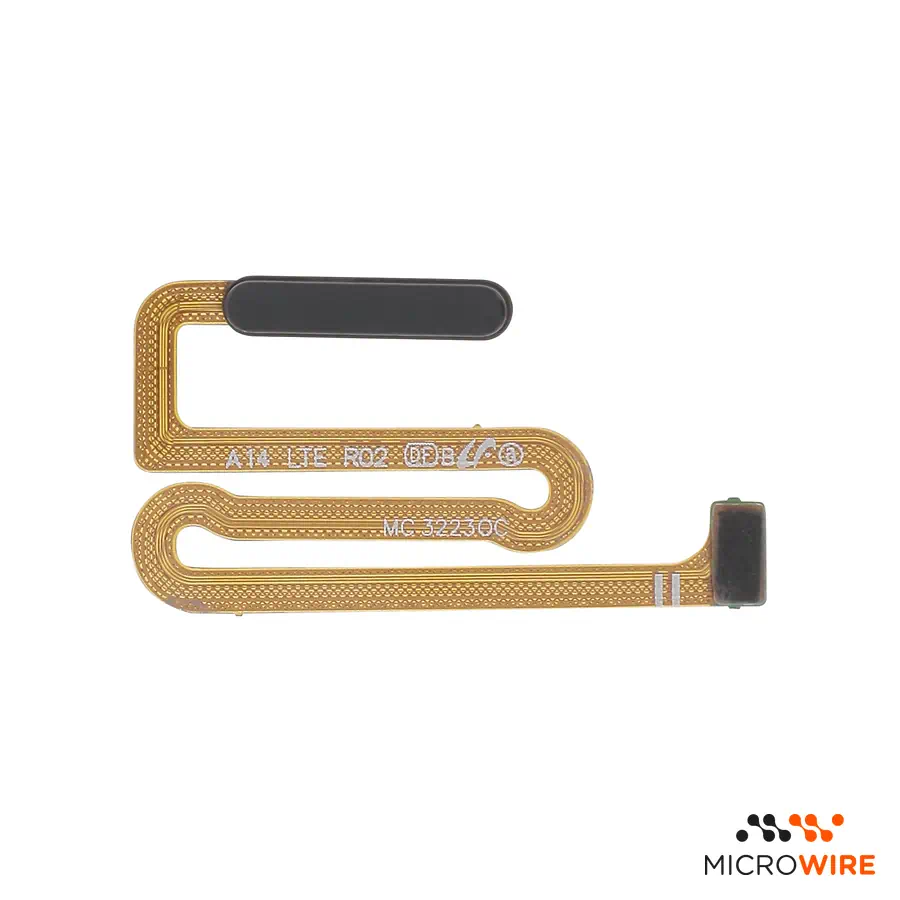
Power Button Flex and Fingerprint Sensor Samsung Galaxy A14 4G A145B Black
4.75€
In Stock Estimated Delivery: Friday, October 9th
Descontos por Quantidade
Why Choose Us?

Power Button and Fingerprint Sensor Flex for Galaxy A14 4G: Power and Biometrics Replacement
This power button flex and fingerprint sensor for Galaxy A14 4G restores biometric unlocking functions and phone activation. The flex cable with biometric reader replaces the damaged component, returning tactile response and fast reading to the device.
Technical Specifications
- Part type: Power button flex with biometric sensor
- Compatibility: Galaxy A14 4G (SM-A145F, SM-A145F/DS, SM-A145B)
- Colour: Black
- Quality: Compatible
When to Replace
- The phone does not turn on or unlock when pressing the power button.
- The fingerprint sensor does not read or gives a permanent error — confirm the diagnosis.
- Lack of tactile response or stuck click on the side button.
- Flex ribbon cut or damaged during a previous technical intervention.
Notes for the Technician
- Test before applying: connect the part to the device and confirm its operation before fixing or gluing it permanently. Thus, if there is any problem, the return or warranty is handled quickly and simply.
- Difficulty: Medium.
- Disassembly requires removing the back cover and middle frame to access the connection on the mainboard.
- Always disconnect the battery before handling or installing the sensor flex connector.
- Clean the seating area on the chassis to ensure the reader sits without gaps.
What Distinguishes This Version
This high-end compatible part was selected specifically to ensure mechanical reliability and precise biometric reading in a workshop environment. It is the suitable option for technicians aiming for a fast, effective repair with an excellent cost balance.
Frequently Asked Questions
Is this flex compatible with the Galaxy A14 5G?
No. This component is designed specifically for the 4G version (A145B), with different dimensions and connectors from the 5G model.
Is it necessary to reprogram biometrics after replacement?
Simply register the fingerprints again in the Android system settings after completing the physical assembly.