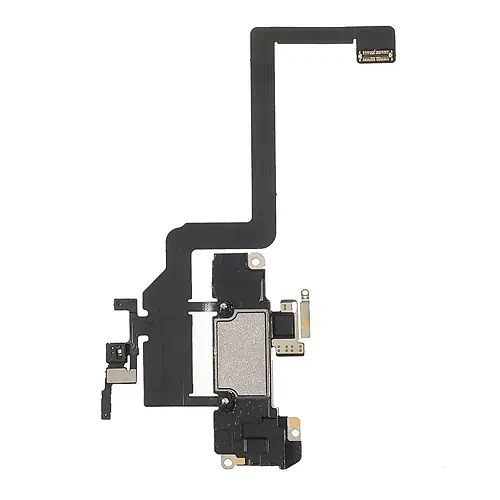
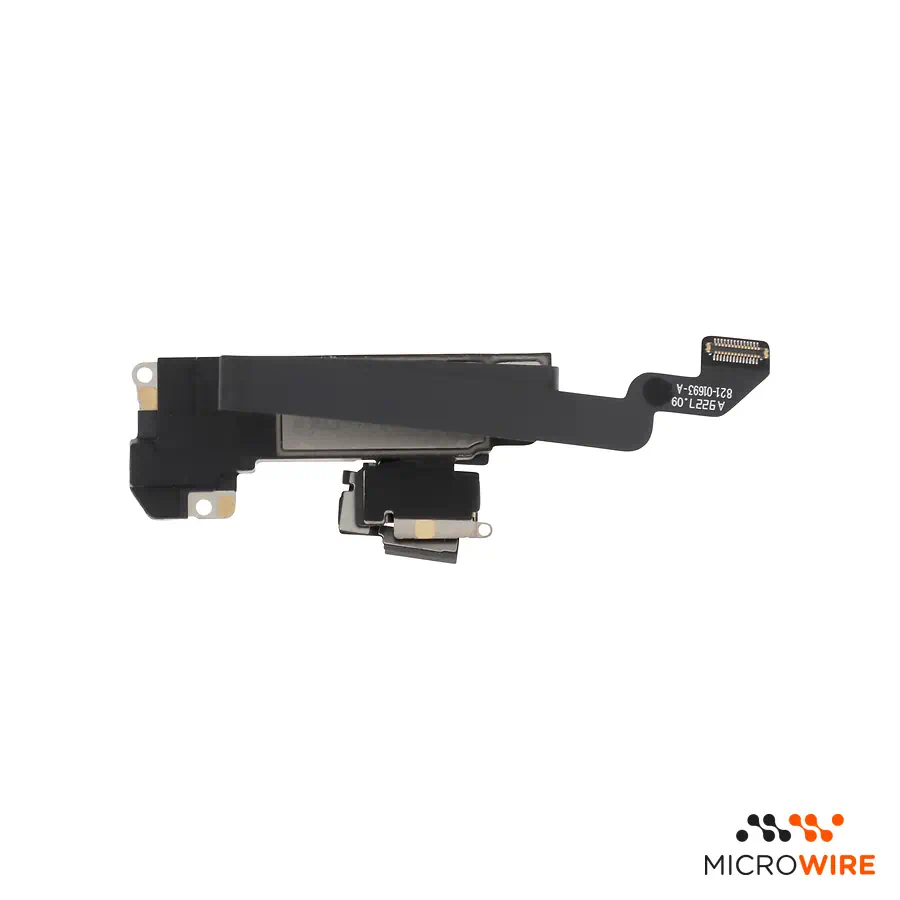
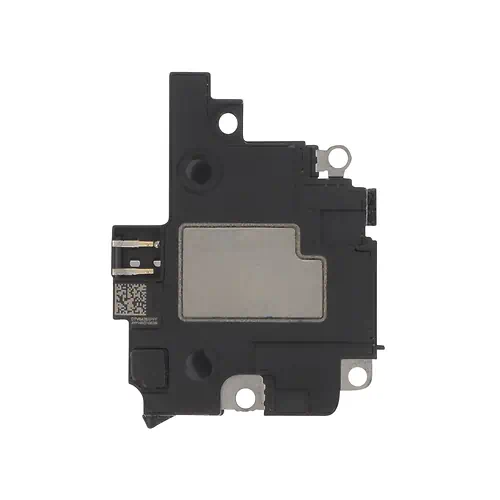
Speaker and Proximity Sensor iPhone XR
4.59€
In Stock Estimated Delivery: Wednesday, October 28th
Descontos por Quantidade
Why Choose Us?

Original Component with Earpiece and Sensor for iPhone XR
This component is the solution for audio problems during calls and failures in your iPhone XR's proximity sensor. It is an original replacement part that integrates the call earpiece and the proximity sensor, essential for the screen to turn off automatically when you bring the phone close to your face. Its installation allows restoring audio functionality and proximity detection with the reliability of a genuine component.
Technical Specifications
- Product: Speaker (Call Earpiece) and Proximity Sensor
- Compatibility: iPhone XR
- Technical Code: 821-01693-A
- Originality: Original — Pulled (removed from another device)
What Distinguishes This Model
This part is an original component, removed from another device. This origin guarantees maximum compatibility and performance, as it was manufactured according to the brand's standards. It is the ideal choice for those looking for a repair that maintains the device's factory characteristics, without resorting to third-party parts.
Installation Tips
The replacement of this component requires technical precision, as it involves handling delicate flexible cables and disassembling the Screen. It is recommended that the repair be carried out by a qualified technician. Please note that in recent iPhone models, replacing certain parts may result in an "unknown part" warning in the operating system, unless the original microcontroller (IC) is transplanted to the new component.
Micro Wire Quality Seal
At Micro Wire, your trust is our priority. Every component, including this speaker with proximity sensor for iPhone XR, undergoes a rigorous visual and functional inspection by our technicians before being dispatched. This manual verification process ensures that you receive a part in compliance with our high quality standards.
Frequently Asked Questions
Does this part solve low sound problems during calls?
Yes, if the problem is located in the call earpiece, replacing this component should restore audio quality and volume during conversations.
Why doesn't my iPhone Screen turn off during a call?
The most probable cause is a proximity sensor failure. This component includes the sensor responsible for this function, so its replacement should correct the problem.
What does "Pulled" mean?
It means that the part is original, but was carefully removed from a disassembled device. It is not a new part, but it retains all the specifications and quality of the original manufacturer.
Ensure your iPhone XR works correctly again with a reliable replacement component. Add to basket for fast shipping from Portugal.
- Component Type
- Flex
- Model
- iPhone XR
- Quality
- Pulled Which quality is right for you? Guide
- SKU
- 821-01693-A

Related Products




Frequently bought together
What other customers added to their cart along with this product