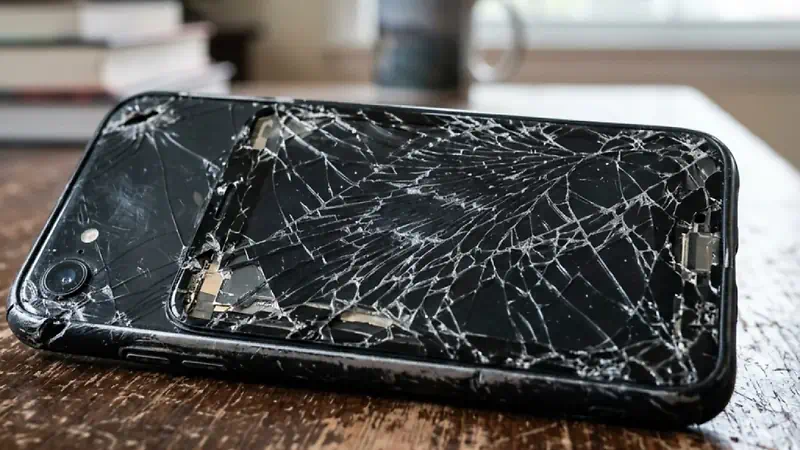

Replacing the iPhone 15 Pro Max screen at home is entirely feasible through thermal removal of the front adhesive and careful disconnection of the Super Retina XDR OLED panel flex cables. With the right tools and lab-grade components from Micro Wire, you restore full equipment functionality without excessive labor costs.
01 · Essential Tools
The indispensable equipment for the intervention
The titanium chassis and micrometric tolerances of the iPhone 15 Pro Max demand absolute precision. Avoid improvised solutions that could damage the internal structure or neighboring components.
Precision Screwdrivers
Pentalobe P2 screwdriver for the bottom screws and Tri-Point Y000 screwdriver for the internal metal shields.
Heating and Suction
Thermal mat set to 75°C or heat gun, along with a suction cup and ultra-thin plastic picks.
Pre-cut Adhesive Tape
Specific replacement sealant to restore the seal against dust and residual moisture upon closure.
Lab note
Drain the iPhone battery below 25% before starting disassembly. Fully charged lithium-ion batteries present a high risk of combustion if accidentally punctured during display removal.
02 · Technical Procedure
Step-by-step for OLED panel replacement
Strictly follow each step structured by our specialists to maintain the integrity of the proximity sensors and Face ID.
-
Step 1
Remove the Pentalobe screws
Turn off the iPhone 15 Pro Max completely. Remove the two P2 screws located on either side of the USB-C port and organize them on a magnetic mat.
-
Step 2
Heat and peel the perimeter
Heat the edge of the screen at 70°C for about 3 minutes to soften the waterproof adhesive. Apply the suction cup near the bottom edge and carefully insert the plastic pick up to a maximum depth of 2 millimeters.
-
Step 3
Open the chassis and disconnect the battery
Open the device sideways like a book, from the right edge. Remove the metal shield by unscrewing the Tri-Point screws and immediately disconnect the battery terminal with a plastic spudger.
-
Step 4
Install the new panel and transfer sensors
Disconnect the old display cables, transfer the upper sensor module to the new screen with extreme care, and test the new part before applying the final adhesive tape.
03 · Direct Comparison
DIY Repair vs. Conventional Replacement
Analyzing the viability of autonomous intervention allows you to understand the financial return and execution speed compared to time-consuming procedures.
| Criterion | DIY Repair | Common Unofficial Service | Full Equipment Replacement |
|---|---|---|---|
| Repair Time | 45 to 60 minutes | 2 to 5 business days | Instant (total acquisition cost) |
| Financial Cost | Component value only | Component plus labor | Retail price of a new device |
| Environmental Impact | Minimal: zero additional waste | Medium | Maximum: production of a new unit |
Repair with parts tested in the Micro Wire lab
Avoid headaches with doubtful quality parts. In the Micro Wire catalog you have access to replacement OLED displays for iPhone 15 Pro Max, certified adhesives, and professional tools ready to ship. Do your repair today and embrace the circular economy with total confidence.